
Play Intensity Casino from any smartphone, no download required. Add it to your home screen and get instant access to pokies, live dealers, and fast PayID withdrawals wherever you are.
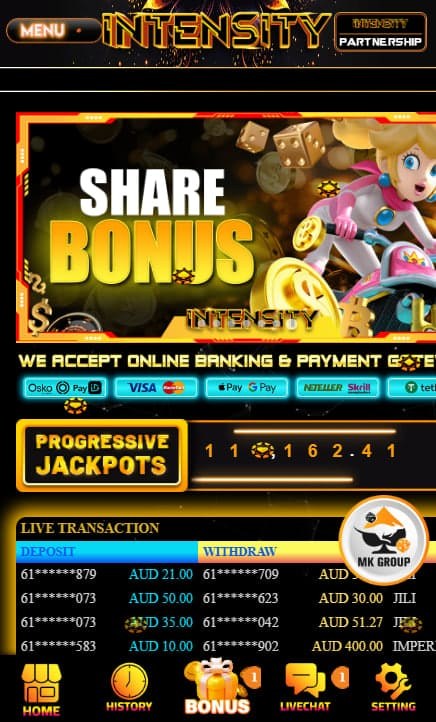
Intensity Casino runs entirely through a mobile browser, with no dedicated app to download from an app store. The full 3,000+ game library, deposits, withdrawals, and live tables all operate within Chrome or Safari on any modern smartphone. Adding the site to a home screen creates an icon that launches the platform in full-screen view, functioning similarly to a native app without using storage space or requiring manual updates.
Opening the site through a bookmark or home screen shortcut provides immediate access, without the wait times associated with app store downloads. New games and features appear on the browser version as soon as they are released, avoiding the update delays common with native apps that require manual approval through an app store.
Because there is no app to install, phones with limited storage are unaffected. A typical casino app can take over 100MB of space, while the browser-based approach uses none. The site is built to adapt to any screen size, with touch controls sized appropriately for phone use rather than desktop pointer input.
| Feature | Intensity Browser | Typical Casino App |
|---|---|---|
| Download Size | 0 (instant) | 150+ MB |
| Setup Time | 1 minute | 5+ minutes |
| Updates | Automatic | Manual, via app store |
| Storage Impact | None | 150MB+ |
| Full Game Access | Yes | Usually yes |
Buttons and controls are sized for thumb use, with spin actions requiring a single tap and swipe gestures supporting navigation between game categories. The entire pokies library, filterable by provider, RTP, and volatility, matches the desktop version exactly, and popular titles load quickly even on a standard 4G connection.
Live dealer streams run in HD through Evolution Gaming, with real-time dealer interaction available via chat. A stable 4G or WiFi connection supports consistent stream quality, and landscape mode on larger phones improves the viewing experience for these tables.
All payment methods, including PayID, function identically to the desktop version, with PayID withdrawals processing in around 15 minutes. Push notifications can be enabled for alerts on new bonuses, free spins, and the daily rebate, with settings adjustable at any time. Biometric login, using Face ID on iPhone or fingerprint recognition on Android, offers a faster alternative to entering a password manually.
The process differs slightly between iOS and Android devices but takes roughly two minutes on either platform.
Once added, an icon appears on the home screen that launches the platform directly, without opening a browser tab manually each time.
Quick sessions, live dealer play during a commute, and fast PayID withdrawals suit a phone when away from a computer. Registration suits a larger screen instead, since the bigger form fields are easier to complete, along with identity verification document uploads and detailed research into bonus terms before committing to a deposit.
| Mobile | Desktop |
|---|---|
| Quick sessions on the go | Initial registration |
| Live dealer during a commute | Uploading verification documents |
| Fast PayID withdrawals | Researching bonus terms in detail |
| Daily rebate and Wheel of Fortune | Comparing games on a larger screen |
Yes. The icon appears on the device's home screen and launches in full-screen mode, closely resembling a native app in appearance and behaviour. One distinction is that it runs through the browser rather than a downloaded application, meaning no app store account is needed.
Yes. Long-pressing the shortcut brings up an option to remove it. This only deletes the icon; the Intensity Casino account itself remains active and accessible by returning to the site through a browser.
Yes. Streaming those tables requires a stable 4G or WiFi connection for consistent quality. Landscape mode on larger phones improves the viewing experience, and chat functionality with the dealer works the same as on desktop.
No. An internet connection, either mobile data or WiFi, is required to play. The platform does not support offline mode, though returning online at any time restores access with account progress intact.
Yes. Tablets running iOS or Android work with the same browser-based approach as phones, and the larger screen size can improve visibility for pokies and live dealer tables. The home screen shortcut process is identical to the phone instructions above.